

A Traveler’s Guide to Staying Connected: eSIMs, Tools, and Tips
Staying connected while you travel doesn’t have to be complicated or expensive. Here’s what actually works, from eSIMs to real-world tips that will save you time, money, and frustration on the road.


Staying connected on the road can be challenging, but it’s something I’ve had to figure out over the years.
I’ve tried it all… international roaming, local SIM cards, even pocket Wi-Fi devices (seriously, I spent way too much for too long on that stupid Bell Mifi hub).
For me, staying connected means good enough signal for video calls. As much as I love adventuring solo, I miss my kids and partner when I’m away, and I still have a few client calls a week.
FaceTime and Zoom/Google Meets have been lifesavers, but even the best tools are useless without a strong connection behind them.
Staying Online & In Touch, Wherever You May Roam
I’ve learned a lot the hard way. Take Airbnb, for instance. If you’ve ever booked a place with “high-speed internet” only to find it’s barely fast enough to load an email, you’re not alone.
After a few frustrating stays, I started asking hosts for screenshots of their Wi-Fi speed tests before confirming a booking. For remote work, I look for download speeds of at least 25 Mbps (though more is always better).
It might feel a little extra, but it’s saved me from more connectivity disasters like that time we rented a house for a month only to discover on day one that “good Wi-Fi” meant “only in one corner of the front porch.”
We had no signal anywhere else in the house.

Disclosure: This post may contain affiliate links, meaning we get a commission if you decide to make a purchase through links on this site, at no cost to you – because a girl’s gotta eat… and travel.
Smart Connectivity Tips (That Actually Make a Difference)
Staying connected isn’t about one perfect solution. It’s about layering a few simple tools and habits so nothing derails your day.
Here’s what’s made the biggest difference for me:
Download offline maps before you arrive
Even with solid mobile data, things happen. I always download offline maps in Google Maps so I can navigate without internet access—especially helpful when you first land or if your data plan hasn’t kicked in yet.
Have a backup for your backup
Your eSIM handles most things, but I still carry a small power bank and occasionally use a portable Wi-Fi device. It’s rare I need it now, but when I do, I’m glad it’s there.
Be cautious with public Wi-Fi
Free Wi-Fi is everywhere, but it’s not always secure. I avoid logging into banking apps or anything sensitive on public Wi-Fi, and I treat it as a convenience, not something I rely on for work.
Use a VPN. It’s a simple way to keep things secure when you’re logging into accounts on unfamiliar networks.

Use apps that reduce friction
A few essentials I always have ready:
WhatsApp for calls, messages, and staying connected locally
Google Translate for quick conversations or menus
TimeBuddy for scheduling across time zones
These remove a surprising amount of day-to-day stress.
Keep an eye on how your data is being used
Streaming, video calls, and even social media can burn through your data plan quickly. If I know I’ve got a big Zoom day ahead, I’ll prioritize strong Wi-Fi or coworking over relying on mobile data.
Understand local networks (just a little)
You don’t need to go deep here, but knowing that some regions have stronger local networks than others helps set expectations. In more rural areas, speeds can vary no matter what setup you have.
Why I Love eSIMs for Travel


eSIMs offer a few key benefits:
Keep Your Home Number Active: You don’t have to swap out your physical SIM, so you can still receive calls or texts from your home line. I don’t answer the calls for fear of triggering my Telus daily roaming charges, but I can see who’s trying to reach me and call them back using WhatsApp.
Backup Internet: There’s nothing worse than unreliable Wi-Fi when you’re working remotely. My eSIM acts as a backup connection, so I’m (almost) never completely offline.
Hassle-Free Setup: eSIMs are entirely digital, meaning no tiny SIM card to lose in the bottom of your bag. No standing in airport lines trying to buy a SIM, and no language barriers to refilling your data. You can download and activate them in just a few minutes.
That said, a word of caution: read the installation and activation instructions carefully. It’s easy to accidentally use your home data, which can result in hefty charges. Double-check that your eSIM is set to primary for data before using it.
A Note on Working in Cafes
When I need a change of scenery, I’ll head to co-working spaces or reliable cafés with strong Wi-Fi.

These spaces aren’t just practical — they’re little hubs of real-world connection, too. This is where you’ll meet fellow travelers and nomads who can share their favourite restaurants, recommend a day trip, or warn you about an area to avoid.
Cafés can be a traveler’s haven, but knowing the local etiquette can make or break your experience. Working in cafes is frowned upon in some places, especially in busy tourist regions like Italy and Croatia. They’ll refuse you service and tell you to move on.
In Portugal, on the other hand, I was encouraged to stay for hours as long as I ordered a fresh cup once in a while.
Featured Partner: Airalo
If you’re going to try an eSIM, this is the one I keep coming back to.
I’ve used Airalo across multiple countries over the past few years, and it’s consistently been the easiest, most reliable option I’ve found. No hunting down SIM cards at the airport, no guessing which local provider to trust, no dealing with language barriers when something doesn’t work.
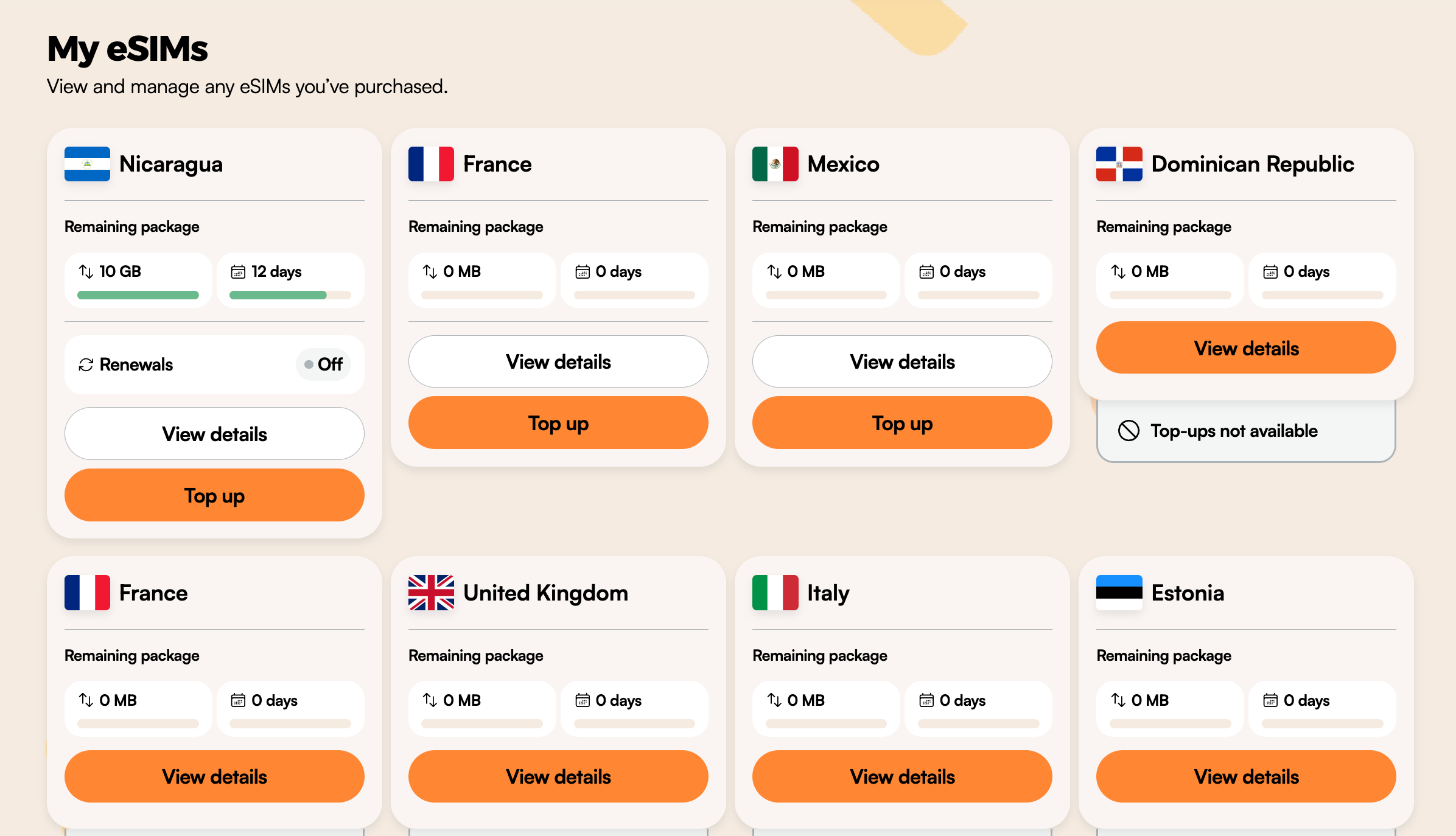
It just… works.
The app walks you through setup in a few minutes, and once it’s installed, you can switch plans or top up data anytime without leaving your apartment (or your beach chair).
With coverage in 200+ countries, it’s one of those tools that removes a lot of friction from travel, especially if you’re working remotely or moving between places frequently.
If you’ve been relying on spotty Wi-Fi or paying ridiculous roaming fees, this is a very easy upgrade.
Staying connected while traveling can feel like a balancing act, but with the right tools and a little planning, it doesn’t have to be stressful.
It’s less about having the perfect setup and more about having a few reliable systems you can fall back on so you’re never stuck, even when things don’t go as planned.
FAQs: Staying Connected While Traveling
Do I still need a physical SIM card if I use an eSIM?
Not usually. eSIM technology replaces the need for a physical SIM card in most cases, but having your home SIM active can be useful for receiving texts or authentication codes.
Is an eSIM better than a portable Wi-Fi device?
For most solo travelers or remote workers, yes. eSIMs are simpler, cheaper, and don’t require carrying extra hardware. A portable Wi-Fi device can make sense if you’re traveling in a group or need to connect multiple devices at once.
How much mobile data do I actually need?
It depends on how you work and travel. Light use (maps, messaging, browsing) might only require a few GB per week. If you rely on video chat or frequent video calls, you’ll need significantly more, or access to reliable Wi-Fi.
Will I still get hit with roaming fees?
Only if your home SIM is actively using data. Make sure your eSIM is set as the primary for mobile data, and turn off data roaming on your home line to avoid surprise charges.
Can I rely on public Wi-Fi instead of buying a data plan?
You can, but it’s risky if you’re working remotely. Public Wi-Fi can be slow, unreliable, or insecure. Having your own internet access gives you flexibility and peace of mind. Use a VPN for encryption and to mask your IP.
What tools make travel easier beyond connectivity?
A few that consistently make a difference:
Google Maps (with offline maps downloaded)
Google Translate
A simple travel journal app or notes app to track plans, bookings, and ideas
A solid travel guide for your destination
Do I need travel insurance for connectivity issues?
Not specifically for connectivity, but travel insurance is still essential. If something goes wrong (health, cancellations, delays), you’ll be glad you have it.
Think of connectivity as part of your setup, not your safety net.
You might also like:


